In Depth
AstroPrompt
No Astrology Knowledge Required
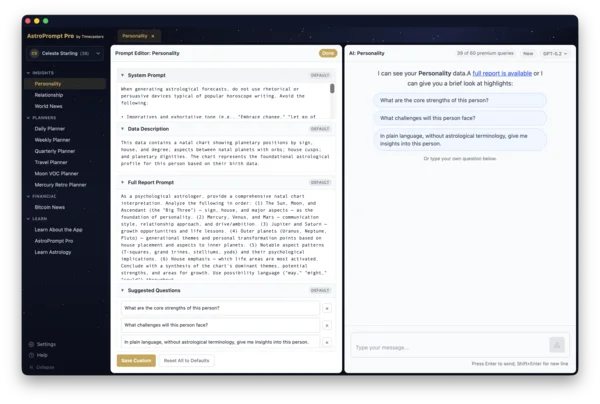
Astrology has centuries of terminology that can feel impenetrable to newcomers. AstroPrompt removes that barrier entirely. You don't need to know what a trine is, how to read a natal chart, or what a Mercury retrograde means for you personally — just ask questions in plain language: "What are my strengths?" or "Is this a good week to have a difficult conversation?" The AI explains what the astrological data means without requiring you to learn the underlying system. For those who do know astrology, the same data that would take hours to calculate manually is ready instantly, with AI interpretation that draws on the full breadth of astrological literature. For a deeper look at getting reliable AI astrology, see our in-depth guide.
Enter Birth Data
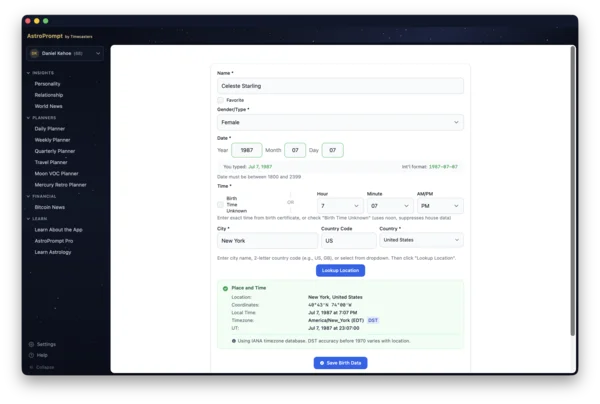
Most of AstroPrompt's features require birth data — date, time, and place of birth. For the most accurate charts, the exact birth time from a birth certificate is ideal, since even a difference of a few minutes can shift key chart points. A mother's memory of the birth time is the next best source and is usually close enough for meaningful results. If neither is available, you can enter "time unknown" — AstroPrompt will generate charts that exclude time-sensitive factors like the Ascendant and house placements, focusing instead on planetary positions and aspects that remain accurate regardless of birth time. You'll still get useful personality insights, relationship analysis, and transit forecasts — just without the elements that depend on a precise birth moment.
Understand Yourself More Deeply
Personality
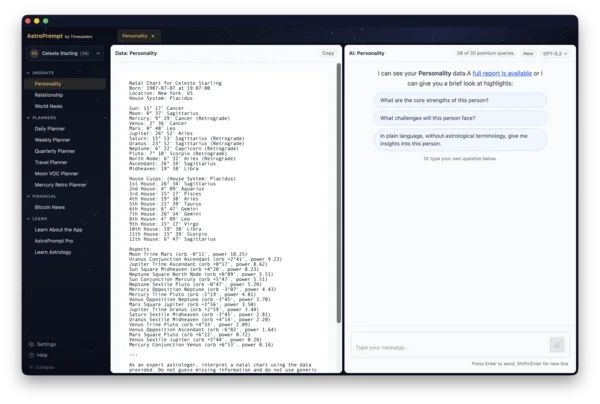
The natal chart is a snapshot of the sky at the moment of your birth — a map that astrologers have used for centuries to describe character, potential, and recurring life themes. The Personality view gives you access to this analysis instantly. Rather than reading a static report written for a generic sun sign, you can ask the AI the specific questions that matter to you: why you react the way you do, what your natural strengths are in work and relationships, what patterns tend to repeat in your life, and where your greatest potential lies. The conversation can go as deep as you like. As counseling astrologers like to say, you don't have to "believe in astrology" for it to be useful because the process provides a level of self-reflection that's difficult to achieve without astrology as a tool.
Understand Your Relationships
Relationship
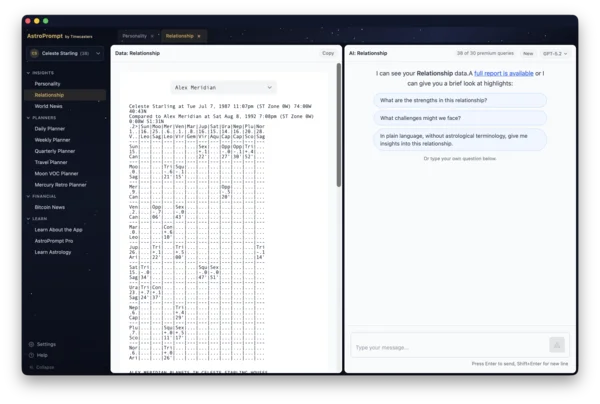
Synastry — comparing two people's charts — is one of astrology's most practical tools, and also one of the most calculation-intensive. The Relationship view does this automatically for any two people in your records. Understanding why a particular relationship feels effortless while another requires constant adjustment, or why a business partnership thrives in some areas and creates friction in others, becomes a meaningful conversation rather than guesswork. You can guide the AI to focus on aspects of the relationship that are most important to you, whether with a romantic partner, family members, friends, or business relationships.
Plan Around Cosmic Timing
Daily · Weekly · Quarterly · Travel Planners
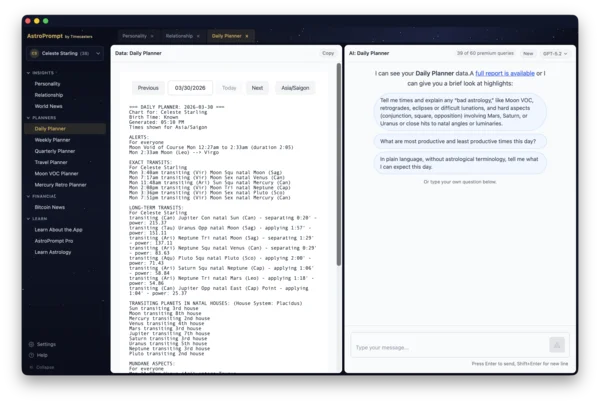
One of astrology's most practical applications is timing — knowing which days are inclined for productivity, and which days are better spent on reflection or preparation. The planner views bring this to everyday decisions.
Daily Planner
Shows the specific astrological influences active today and their precise timing. Knowing that a challenging transit peaks at 2pm lets you schedule important meetings before or after it. The AI can factor in your personal concerns — ask it which time of day is best for a specific task and it will explain why.
Weekly Planner
Add your real-world priorities — a project deadline, a difficult conversation you've been putting off, a creative push — and the AI factors the week's astrological influences into specific recommendations for which days suit which tasks best.
Quarterly Planner
A three-month view that reveals the larger rhythm of the season. Useful for understanding when a sustained period of effort is supported, when disruptions are likely, and when a strategic pause makes sense.
Travel Planner
Shows the best and most challenging days for travel each month, taking Mercury retrograde periods and other timing factors into account. Useful for choosing departure dates when you have flexibility.
Track Key Astrological Cycles
Moon VOC · Mercury Retrograde
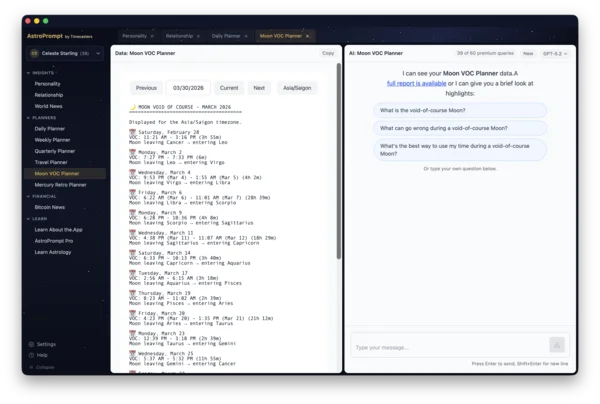
Two recurring astrological conditions have a long track record of practical relevance — even among people who aren't interested in astrology but want to optimize scheduled activities.
Moon Void-of-Course
Occurs every two to three days when the Moon makes no more major angles with planets before changing signs. Traditional astrology considers these periods unfavorable for starting new ventures — decisions made during void-of-course Moon periods tend to require revision or don't develop as expected. The Moon VOC Planner shows exact start and end times so you can schedule around them when stakes are high.
Mercury Retrograde
Three times a year, Mercury appears to move backward in the sky for about three weeks. Traditionally associated with communication misunderstandings, travel disruptions, and technology problems, it's also a period well-suited for revisiting, revising, and reconnecting — the "re-" activities. The Mercury Retro Planner shows the full year's schedule with exact station dates so you can plan accordingly.
Understand the World Through an Astrological Lens
World News · Bitcoin News
Mundane astrology applies the same principles to collective events — what's happening in the world, in markets, in the cultural mood. These views require no personal birth data.
World News
Shows current planetary positions and the aspects forming between them, with AI interpretation of their collective significance. Useful for making sense of unusually turbulent or unusually constructive periods, and for understanding the astrological context behind events you're watching unfold. You can navigate to past dates to explore historical periods — or future dates to anticipate coming events.
Bitcoin News
Uses the Bitcoin genesis chart (January 3, 2009) as the natal reference to track current transits. A genuinely unconventional tool for investors interested in astrological perspectives on crypto price movements and market cycles.
Compare Perspectives Across AI Models
Different AI models have different interpretive styles — GPT-5.2 tends to produce the most astrologically fluent responses, Claude Opus offers nuanced psychological depth, Gemini is strong on synthesis and research context, and budget models like Grok or DeepSeek give fast, serviceable answers for quick questions. AstroPrompt lets you switch between models within any view and even retry the same question with a different model to compare interpretations side by side. Because each model was trained differently, their astrological perspectives can diverge in illuminating ways.
Privacy
Birth data is sensitive — it reveals age, origin, and other personal details. AstroPrompt stores all birth records locally in your browser only and never sends them to our server. There is no account, no login, and no profile. The only information Timecasters receives is an anonymous device ID, your timezone, and aggregate usage statistics (which features were used, how many AI queries). Your name, birth data, and chat messages are never transmitted to us. However, you should know, when you use AI Chat, we don't see your chat, but your message and the chart data go to the AI provider (OpenAI, Anthropic, etc.) for that specific query — their privacy policies apply to those interactions.